
Q: I want to change the email address tied to my renewal account
If you would like to have your account tied to a different email than the one that ISB had on file you will be prompted to update your account and confirm the change within the Access Gov renewal application.
Q: I am having problems creating my account
Please follow all of the instructions, and please pay attention to #3 specifically, as you have to sign up to successfully create your account. How to create an account.
Q: I’m stuck or having other problems with the online renewal system
Please email idaho-isb@tylertech.com for login assistance.
Q: I have questions about my licensing requirements or my license data
Please email licensing@isb.idaho.gov for assistance.
Q: I didn’t get my verification code when creating a new account
If the codes are not in your junk or spam folders, the emails might be being blocked by your email administrator. You will need to verify that they are allowing emails from msonlineservicesteam@microsoftonline.com. It will say it’s from Microsoft on behalf of AccessGov.
We can also tie the member numbers to a different email address. Other attorneys who have run into this issue with their corporate email accounts have used their Gmail accounts or other personal accounts. To do this, see FAQ #1 above.
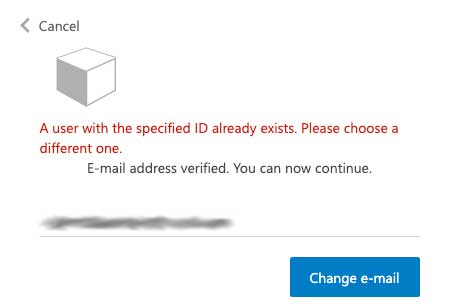
Q: I see an error that a user with the specified ID already exists when I try to create an account.
You are seeing this error because an account with that email address has already been created. If you need to reset your password and log-in, click on the renewal path that pertains to you on https://tyleridaho.com/isb/. Click on the log-in to begin or start application button to be directed to the Access Gov system.
To reset your Password, click the Forgot your password? link.
Q: I need help with the Firm renewal
Please see the Firm/Business Manager User Guide